English
简体中文
繁體中文
Download for Windows Start Free
AI-Powered Rendering for SketchUp

SketchUp AI Rendering Plugin

Transform your SketchUp models into stunning photorealistic renders in seconds. One-click rendering powered by advanced AI, directly inside SketchUp.

Windows & macOS SketchUp 2021 - 2026 Cloud-Powered

Powerful Features

Everything you need to create stunning renders without leaving SketchUp

One-Click Rendering

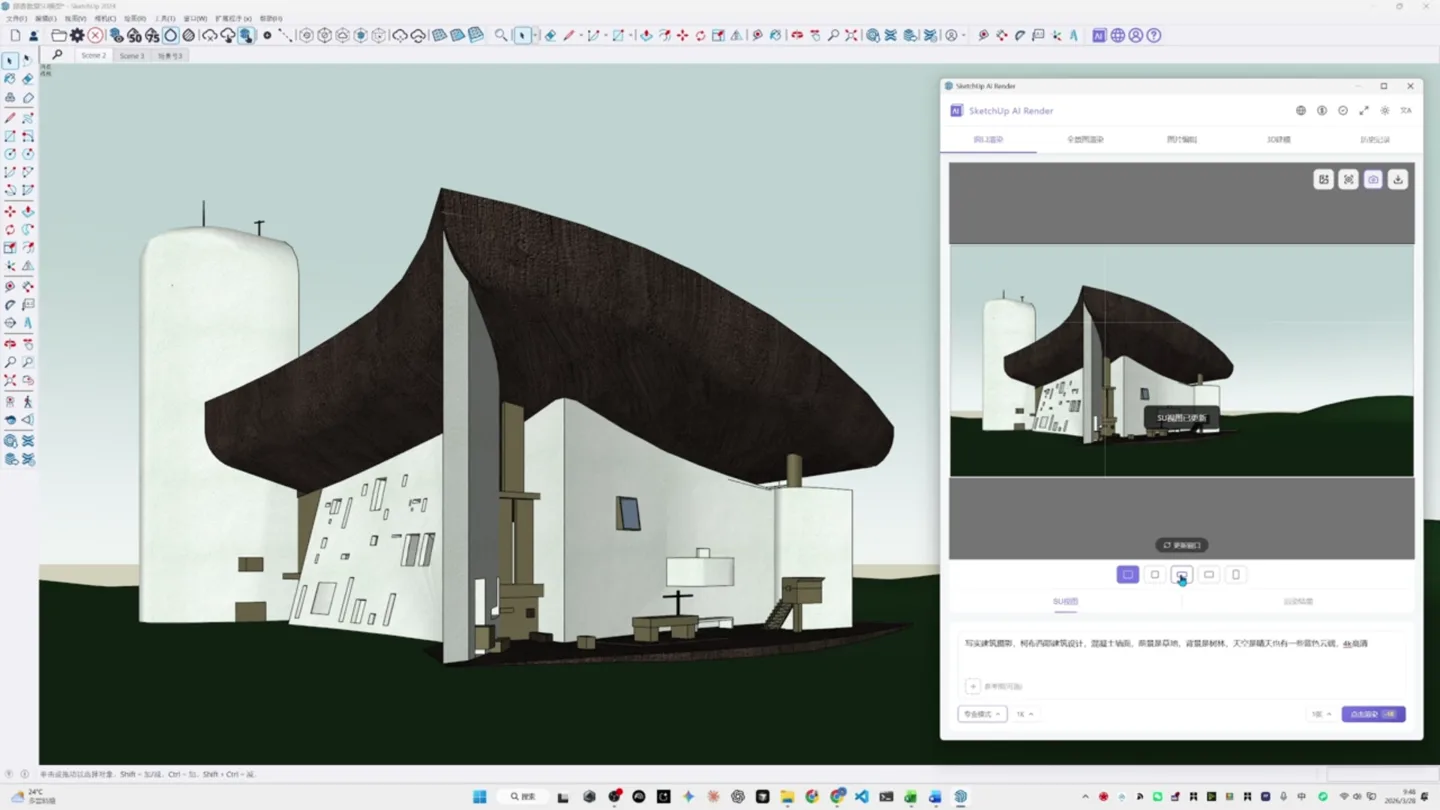
Capture your current SketchUp viewport and render it instantly. No complex settings, no exports needed.

Multiple Render Modes

Choose from Fast, Good, or Pro modes. Each optimized for different use cases from quick previews to marketing renders.

Style Presets

Interior, Architecture, Landscape and more. Apply professional styles or customize with your own prompts.

Real-time Preview

See AI suggestions as you work. Compare before and after renders side by side in the plugin window.

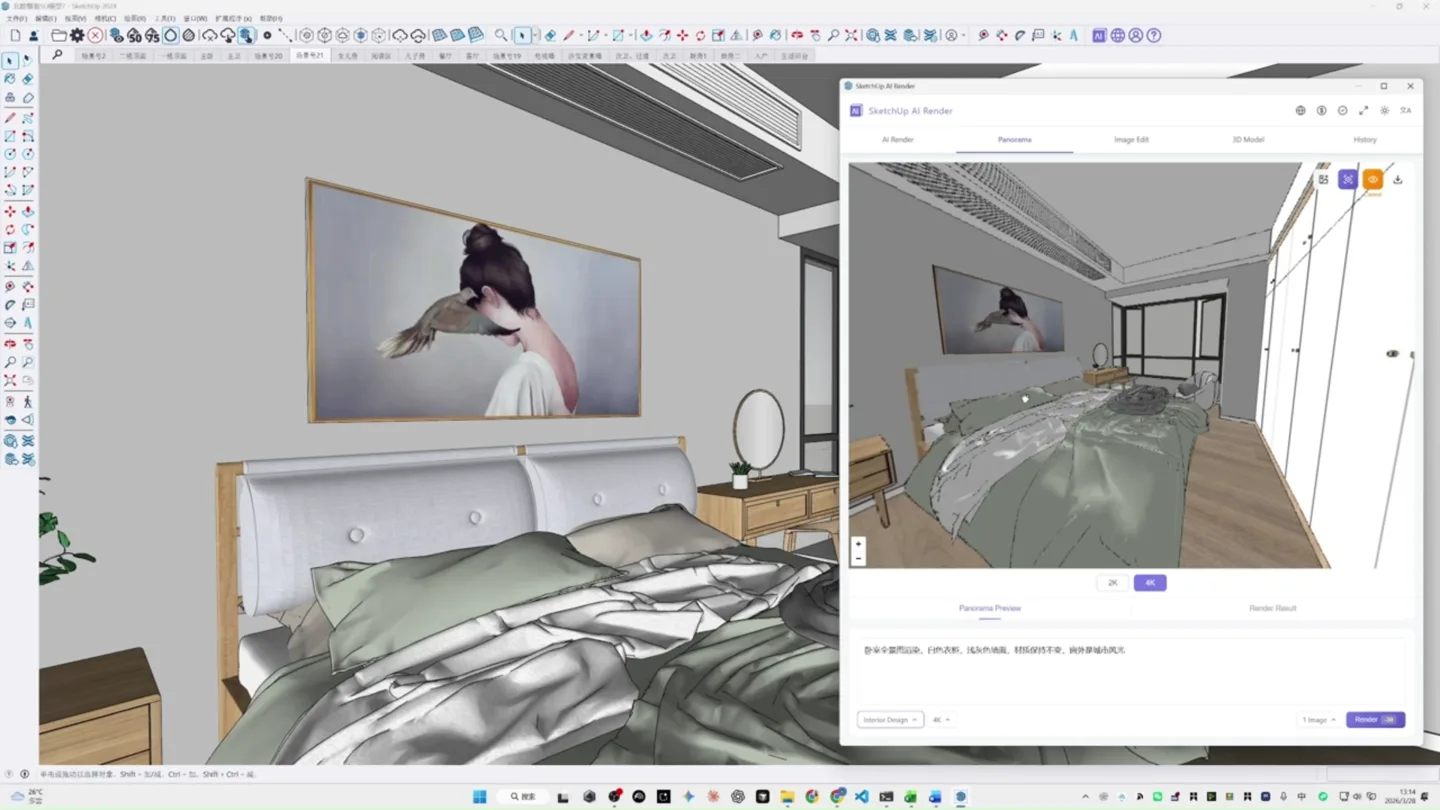
360 Panorama

Create immersive 360-degree panoramic renders for VR experiences and virtual tours directly from SketchUp.

Cloud-Powered

No GPU required. All rendering happens in the cloud, keeping your computer free for other work.

How It Works

From SketchUp model to photorealistic render in 4 simple steps

SketchUp Plugin workflow step
1

Open the Plugin

Launch DesignToolbox from SketchUp's Extensions menu. The plugin window appears alongside your model.

2

Capture Viewport

Select Fast for quick previews, Good for production work, or Pro for the highest fidelity output.

3

Add Your Prompt

Describe the style you want or use our presets. Add details like "modern interior, warm lighting, oak floors".

4

Get Your Render

Click render and watch the AI transform your model. Download high-resolution results directly to your computer.

Render Modes

Choose the right mode for your project needs

Fast

6 credits
~5 seconds

Quick previews and concept exploration. Perfect for iterating on design ideas.

Pro

18 credits
~30 seconds

Maximum fidelity for marketing materials and portfolio pieces.

Panorama

25 credits
~45 seconds

360-degree immersive renders for VR experiences and virtual tours.

Easy Installation

Get started in just a few minutes

1

Download Plugin

Get the .rbz file from our website

2

Open Extension Manager

Go to Window > Extension Manager in SketchUp

3

Install Extension

Click "Install Extension" and select the .rbz file

4

Start Rendering

Find DesignToolbox in the Extensions menu

Download Now

Frequently Asked Questions

The plugin requires SketchUp 2021 or later on Windows 10/11 or macOS 10.15+. Since rendering happens in the cloud, you don't need a powerful GPU. A stable internet connection is required for cloud rendering.
We support SketchUp Pro and SketchUp Studio versions 2021, 2022, 2023, 2024, and 2025. Both Windows and macOS versions are fully supported.
Each render consumes credits based on the mode selected: Fast (6 credits), Good (10 credits), Pro (18 credits), and Panorama (25 credits). You can purchase credit packages from your account dashboard. New users receive free credits to try the service.
The plugin requires an internet connection to send your viewport captures to our AI rendering servers. However, you can prepare your models offline and render when connected.
Standard renders are output at 1K (1024px) resolution. You can upgrade to 2K (2048px) resolution for higher quality prints and presentations. Panorama renders support up to 4K resolution for immersive VR experiences.
Yes! New users receive free credits upon registration to try all features of the plugin. No credit card required to start.

Ready to Transform Your SketchUp Workflow?

Join thousands of designers creating stunning renders with AI

20K+
Designers
500K+
Renders Created
4.8
User Rating